SynthID vs Content Credentials: What Each Check Can Tell You
Compare SynthID watermarks and C2PA Content Credentials, understand missing or conflicting results, and choose the right check for an image or video.

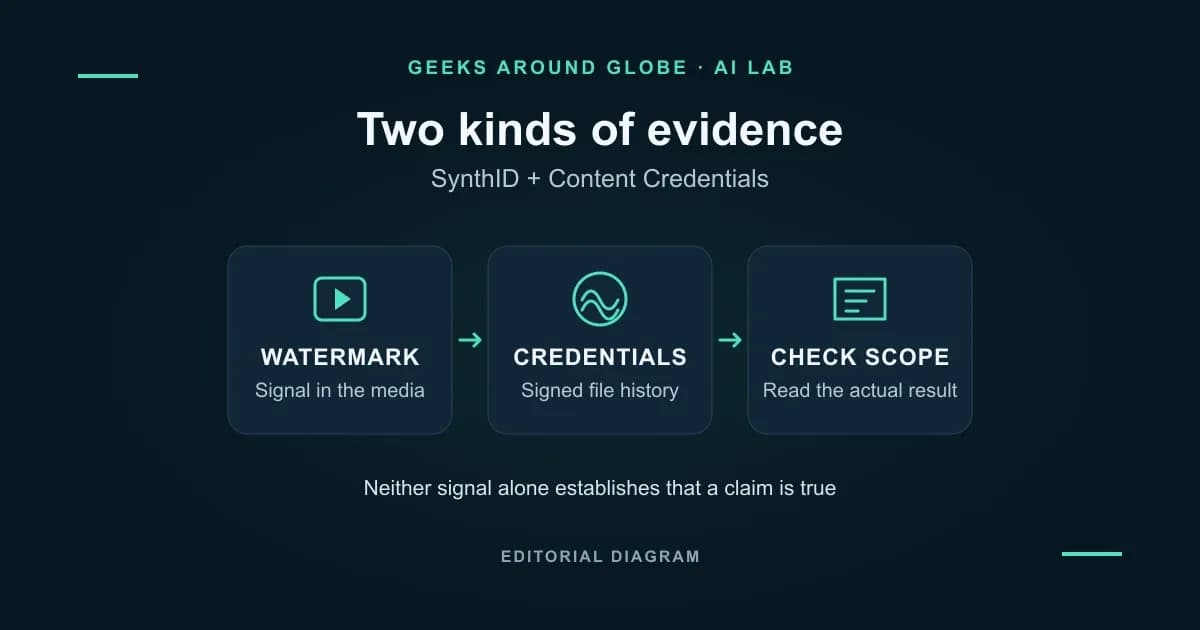
SynthID checks for an invisible watermark in supported AI-generated media. Content Credentials provide a signed record about a file’s origin and editing history. They answer different questions, and the same image or video can carry both. Neither result, by itself, establishes that the scene or its caption is true. Google’s explanation of SynthID, C2PA’s Content Credentials explainer
Documentation comparison · Checked November 22, 2026. This article covers images and videos. Geeks Around Globe has not independently tested watermark detection or credential recovery.
The difference at a glance
| Question | SynthID | C2PA Content Credentials |
|---|---|---|
| What is being examined? | A machine-detectable signal embedded in the media. | Signed statements, called assertions, in a provenance record called a manifest. |
| What can it tell me? | Whether the checker recognizes a supported SynthID watermark. | What the recorded history declares, who signed it and whether the relevant validation checks pass. |
| Does it concern only AI content? | SynthID is designed to mark AI-generated or altered content. | Credentials can describe AI-generated, camera-captured or otherwise edited content. |
| Where is the evidence? | Within the generated image or video content. | Commonly attached to the file; some implementations store credentials separately. |
| Does a positive result prove the whole image or video is AI? | No. A finding can concern only part of the content. | No. Read the recorded actions and ingredients instead of interpreting the badge alone. |
The distinction follows Google’s verification documentation and the C2PA standard. “Content Credentials present” is not another way of saying “AI detected.”
There is a concrete example of the two working together: OpenAI describes adding SynthID to supported generated images alongside Content Credentials. That does not make every checker capable of reading both signals. OpenAI’s provenance announcement
What a signed history actually establishes
A Content Credential can contain creation details, editing actions and references to source material used in a composition. Its digital signature makes the recorded information tamper-evident. Validation also checks its relationship to the associated file. That is useful evidence about the record and the file; it is not an independent investigation of everything the record says.
C2PA explicitly warns that provenance can be incomplete. An edit made outside a compatible workflow may not have its own recorded step. A valid credential therefore should not be described as a guaranteed, complete history of every change. C2PA’s explanation of provenance and its limits
The technology also applies to video. For example, Adobe documents Content Credentials export in Premiere for formats including MP4 and QuickTime MOV, with inspection after export. Those are documented application capabilities, not a claim that every video file or editing program preserves credentials. Adobe’s Premiere instructions
What happens after a screenshot or export?
Three different things can happen, so “the label disappeared” is not enough information.
A watermark may survive a transformation. Google designs SynthID image and video marks to tolerate changes such as cropping, compression and frame-rate changes. This is a design goal, not a guarantee for every transformed copy. Google acknowledges that repeated alterations can prevent detection. SynthID design, verification limitations
An attached credential can be lost, or stop matching. Removing metadata can separate a file from its manifest. Changing the protected content can also break the credential’s cryptographic binding to that version. A missing record and a failed validation are different outcomes; retain the checker’s actual wording. C2PA’s binding requirements
A separate copy of the credential may be recoverable. C2PA supports “soft bindings,” such as fingerprints or invisible watermarks, that can help find related provenance when the bits have changed. Recovery requires the relevant stored record and compatible support. A similarity match does not replace the original cryptographic binding.
Adobe provides a practical example: credentials saved to its Content Credentials cloud can support recovery after metadata removal or a screenshot. That does not mean every credential is automatically cloud-backed, or every viewer performs that lookup. C2PA soft bindings, Adobe’s storage guidance
Choose a checker that reads the evidence you need
As checked on November 22, Google documents both SynthID and Content Credentials checks in Gemini. Its SynthID recognition remains limited to Google AI content. Credential verification is documented for the web and Android; iOS support is described as forthcoming.
There is another consequential limit: Gemini does not support remotely stored credential metadata. Google also specifies compatible credential versions and conforming products. An unsupported result should not be treated as a verdict about the image’s origin. Current Gemini requirements
Adobe’s Inspect tool is another documented way to explore credentials and related files, including from an uploaded screenshot. Its recovery capabilities are worth checking when the embedded record is missing. Adobe’s inspection guide
For the separate file-upload procedure and video-result interpretation, use our guide to checking a video with SynthID in Gemini.
A worked example: the same poster, two different results
Imagine a fictional concert poster with camera-shot musicians and an AI-generated background. Its editor exports a credential-bearing file, and someone later shares a screenshot. This is an illustration, not a test we performed.
| Hypothetical finding | What to do next |
|---|---|
| The screenshot has a detected SynthID mark, but no embedded credential. | Record the watermark finding; request the export to inspect its history. Do not assume every musician was generated. |
| The export has valid credentials showing a composite and recorded edits. | Inspect the declared sources and actions. Check whether the relevant history is actually present. |
| A recovery tool finds a possible matching credential for the screenshot. | Compare the match with the supplied original; keep recovery and exact-file validation distinct. |
| Neither check finds usable evidence. | Leave origin unresolved. Ask for the source file and investigate the poster’s claims separately. |
Even a well-documented poster cannot establish that the advertised concert will happen. Use provenance to understand how the media was produced, then verify the real-world claim with its source. Explore related explanations in Geeks Around Globe’s AI coverage.
The weekly question
From obsession to clarity — one original question every week.
We answer one noisy topic at a time, in full. No daily roundup, no thread bait — just the question, the principles, and the system.