Decode Your Swing: A Guide to Launch Monitor Data
Launch monitor data helps decode your swing by tracking key metrics like spin rate, clubhead speed, and carry distance to improve golf performance.
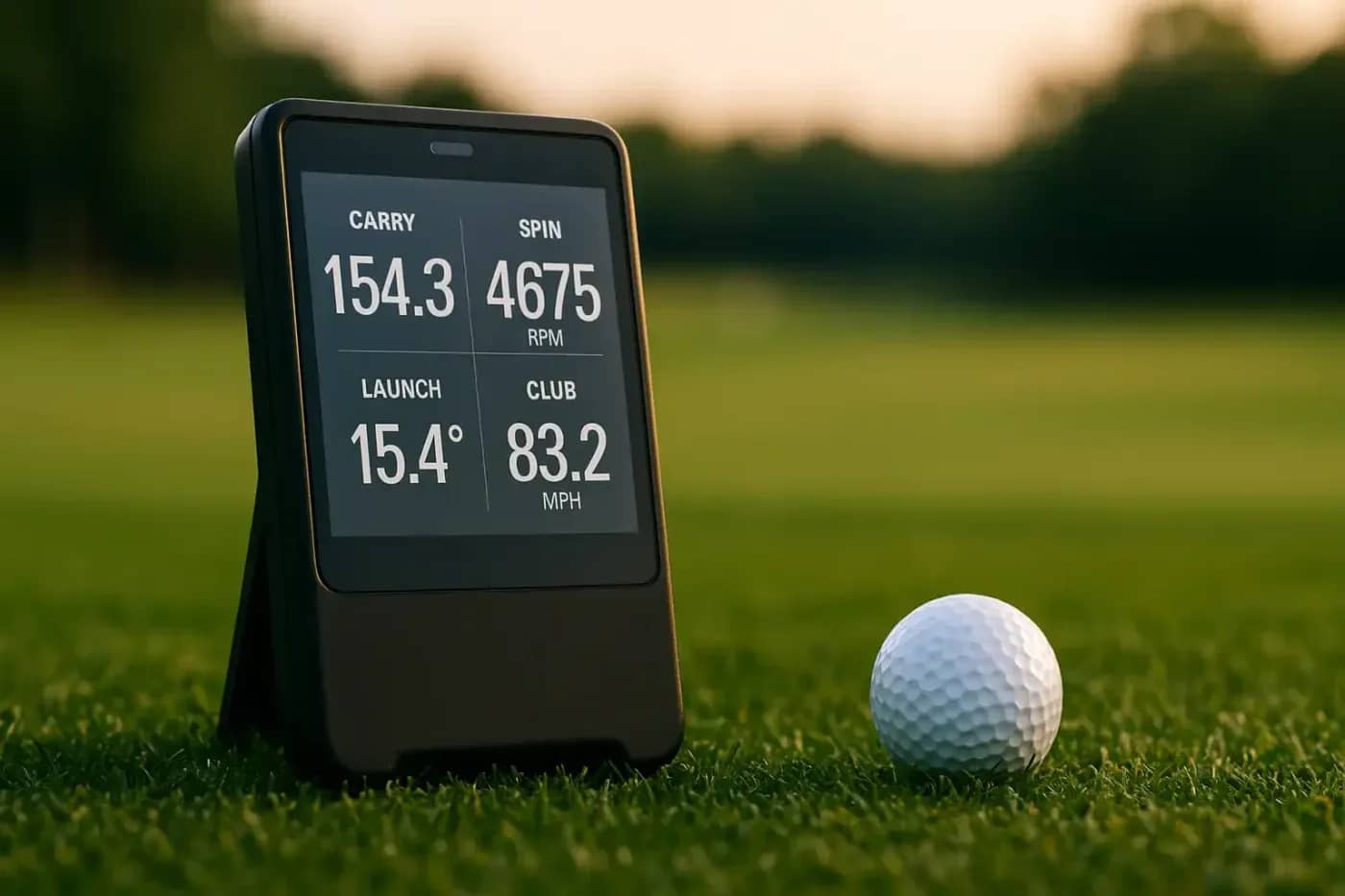
Modern golf has embraced technology, and launch monitors are at the forefront of this revolution. These devices provide a wealth of data about your swing and ball flight, offering insights that were once only available to tour professionals. But what do all those numbers mean? Understanding key metrics like spin rate, clubhead speed, and carry distance is essential for turning that data into real, tangible improvement on the course.
What is Spin Rate?
Spin rate is the speed at which the golf ball rotates on its axis immediately after impact, measured in revolutions per minute (RPM). It’s a critical factor that significantly influences the ball’s trajectory, affecting both its height (apex) and how far it travels. The amount of spin is determined by several factors, including the club’s loft, the angle of attack, the quality of contact, and even the type of ball you’re using.
Why Spin Rate Matters
Think of spin rate as the engine of your ball’s flight. Backspin creates aerodynamic lift, similar to how an airplane’s wings work. This lift keeps the ball in the air longer, allowing it to travel farther.
However, there’s a delicate balance.
- Too much spin can cause the ball to “balloon” upwards, losing distance as it spends its energy climbing instead of moving forward. High-spin shots are also more susceptible to wind.
- Too little spin can lead to an unstable, knuckleball-like flight that drops out of the sky too quickly, failing to achieve its maximum potential distance.
Finding the optimal spin rate for each club is key to maximizing performance. A well-struck drive will have a lower spin rate for more roll, while a wedge shot will have a very high spin rate to help it stop quickly on the green.
Optimal Spin Rate Ranges
While the “perfect” spin rate varies based on clubhead speed and angle of attack, there are some generally accepted optimal windows for each club type. Here’s a basic guide for a mid-speed amateur golfer:
- Driver: 2,000 – 3,000 RPM. This range provides a good balance of lift for carry distance without sacrificing too much roll upon landing.
- Fairway Woods & Hybrids: 3,000 – 4,000 RPM. More loft than a driver means more spin is needed to keep the ball airborne effectively.
- Mid-Irons (6-8): 6,000 – 8,000 RPM. The goal here is a balance of distance and stopping power. For an 8-iron, a good rule of thumb is to aim for a spin rate around 8,000 RPM.
- Short Irons & Wedges (9-LW): 8,000 – 12,000+ RPM. With these clubs, control is paramount. High spin rates allow you to attack pins with confidence, knowing the ball will check up quickly on the green.
If your spin rates are consistently outside these ranges, it could indicate issues with your swing mechanics (like your angle of attack) or that your equipment isn’t the right fit.
What is Clubhead Speed?
Clubhead speed is exactly what it sounds like: the speed of the clubhead at the moment of impact with the ball, measured in miles per hour (mph). It’s the primary engine for generating distance. All other things being equal, a faster clubhead speed will result in a faster ball speed and, consequently, a longer shot.
How Clubhead Speed Affects Distance
The relationship between clubhead speed and distance is direct. A small increase in clubhead speed can lead to a significant gain in yardage. For example, gaining just 1 mph of driver speed can translate to approximately 2-3 extra yards of carry distance. This is why you see so many professionals focused on speed training—it’s one of the most effective ways to add power to their game.
Monitoring your clubhead speed on a launch monitor helps you understand your distance potential. It also provides a clear benchmark for measuring the effectiveness of any swing changes or physical training programs you undertake.
Drills to Increase Clubhead Speed
Increasing your clubhead speed requires a combination of better technique and improved physical conditioning. Here are a few drills you can try:
- The “Whoosh” Drill: Take your driver and turn it upside down, holding it by the head. Make aggressive practice swings, focusing on creating the loudest “whoosh” sound possible as the shaft passes through the impact zone. This trains your body to move faster without the mental block of hitting a ball.
- Step-Through Swings: Set up normally. As you start your downswing, take a step forward with your lead foot (left foot for a right-handed player), planting it firmly before impact. This drill promotes proper weight transfer and sequencing, teaching you to use the ground for leverage and power.
- Overspeed Training: This involves using training aids that are lighter and heavier than your standard driver. Swinging a lighter club teaches your body to move faster, while a heavier club builds the specific muscles used in the golf swing.
What is Carry Distance?
Carry distance is the distance the golf ball travels through the air before it first touches the ground. It’s distinct from total distance, which includes any roll the ball gets after landing. While total distance is what ends up on the scorecard, carry distance is arguably the more important metric for strategic play.
Why Carry Distance is Important
Understanding your carry distance for each club is fundamental to good course management. It tells you exactly how far you need to hit the ball to clear hazards like bunkers, water, or rough. Relying on total distance can be misleading, as roll is inconsistent and depends heavily on course conditions like fairway firmness and slope.
For example, if there’s a bunker 150 yards away, you need to know which club in your bag consistently carries at least 155 yards to be safe. Knowing your precise carry distances allows you to play with more confidence and make smarter, more aggressive decisions. A golf simulation environment is an excellent place to dial in these numbers, as it provides consistent conditions for every shot.
Factors Affecting Carry Distance
Several variables influence how far your ball flies:
- Ball Speed: This is the primary driver of carry. It’s a product of clubhead speed and the quality of your strike (smash factor).
- Launch Angle: The vertical angle the ball takes off at relative to the ground. An optimal launch angle gets the ball high enough to maximize air time without climbing excessively.
- Spin Rate: As discussed, the right amount of backspin creates lift, keeping the ball in the air longer to achieve its full carry potential.
- Environmental Conditions: Altitude, temperature, and humidity all affect air density, which in turn impacts how far the ball flies. A ball will travel farther in the thin air of Denver than it will at sea level in Miami.
Conclusion
Understanding launch monitor data isn’t just about hitting perfect numbers. It’s about using objective feedback to diagnose your swing, optimize your equipment, and build a more consistent, powerful golf game. By paying attention to the relationship between clubhead speed, spin rate, and carry distance, you can identify the cause-and-effect patterns in your swing.
The weekly question
From obsession to clarity — one original question every week.
We answer one noisy topic at a time, in full. No daily roundup, no thread bait — just the question, the principles, and the system.