
Have you ever tried to store a 4K video or a huge photo library and suddenly run out of space at the worst possible moment? High-resolution media is now part of everyday life, from smartphone videos to drone footage, yet choosing where to store it still feels confusing. With more people creating and sharing large files than ever before, picking the right storage option is no longer just technical. It is practical, financial, and even a little emotional.
The Growing Weight of High-Resolution Media
The shift to high-resolution media has been quiet but massive. Smartphones now shoot 4K and even 8K video, while creators on platforms like YouTube and TikTok push for sharper visuals to stand out in crowded feeds. What used to be a few megabytes is now gigabytes for a single project.
This growth reflects broader trends in digital life. As remote work, content creation, and online learning expand, people are producing more data than they realize. Storage is no longer just about saving files. It is about managing a growing digital footprint without losing important memories or work.
Understanding Storage Types Before You Buy
Before choosing anything, it helps to know the basic categories. Internal storage, external drives, memory cards, and cloud services all serve different purposes. Each has trade-offs between speed, cost, and convenience, and those differences matter more with large files.
For example, when comparing memory cards, many people stumble over terms like SDHC vs SDXC without realizing how much it affects capacity and compatibility. SDHC cards typically max out at 32GB, while SDXC can go up to terabytes, making them far more suitable for high-resolution media. Picking the wrong type can lead to frustrating limits or even device incompatibility, which is the last thing you want during a shoot.
Speed Matters More Than You Think
Storage is not just about how much space you have. It is also about how fast data moves. High-resolution video, especially 4K and above, requires fast read and write speeds to avoid lag or corrupted files.
If you are recording video, look for storage with high write speeds, such as UHS-II SD cards or NVMe SSDs. Slow storage can cause dropped frames or failed recordings. If you are editing large files, faster read speeds reduce waiting time, which adds up quickly over hours of work.
Portability vs Reliability
Portable storage sounds great until you lose it. External drives and memory cards are easy to carry but also easy to misplace or damage. On the other hand, internal drives and cloud storage offer more stability but less flexibility.
Think about how you work. If you travel often or shoot on location, portable storage is essential. But it should not be your only copy. Reliable storage means having at least one backup in a safer, less mobile place. This balance between portability and security is where many people make costly mistakes.
Cloud Storage in a Subscription Economy
Cloud storage has become the default choice for many users, partly because of the broader shift toward subscription services. From streaming to software, people are already used to paying monthly fees, so adding cloud storage feels natural.
Services like Google Drive, iCloud, and Dropbox make it easy to access files anywhere. However, storing high-resolution media in the cloud can become expensive over time. Upload speeds can also be slow, especially in areas with limited internet bandwidth. It is convenient, but not always efficient for large projects.
External Drives for Everyday Use
External hard drives and SSDs remain one of the most practical solutions for storing large media files. They offer high capacity at a relatively low cost, especially compared to cloud subscriptions.
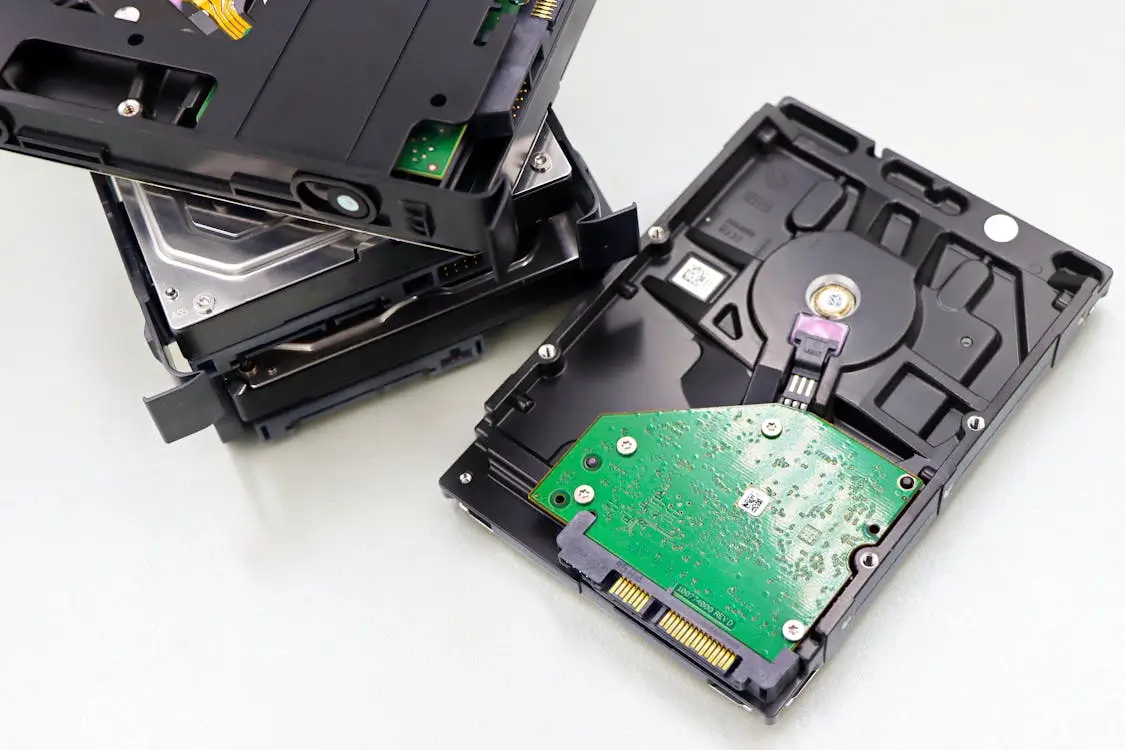
SSDs are faster and more durable, making them ideal for editing and frequent use. Traditional hard drives are cheaper and better suited for long-term storage. A good setup often includes both, with SSDs for active projects and HDDs for archiving completed work.
Backup Strategies That Actually Work
If there is one rule in storage, it is this: never rely on a single copy. Hardware fails, files get corrupted, and accidents happen. The rise in digital content has also increased the risk of data loss, whether from technical issues or simple human error.
A simple backup strategy is the 3-2-1 rule. Keep three copies of your data, store them on two different types of media, and keep one copy offsite, such as in the cloud. This approach may sound excessive, but it is far less painful than losing important files.
Budgeting for Storage Without Regret
Storage costs can add up quickly, especially as file sizes grow. It is tempting to choose the cheapest option, but that often leads to replacing it sooner than expected. A better approach is to think long term.
Invest in storage that meets your current needs and allows for growth. For example, buying a slightly larger SSD now can save money later by avoiding frequent upgrades. Consider your workflow, the size of your projects, and how often you create new content. Smart budgeting means fewer surprises and smoother work.
Matching Storage to Your Workflow
There is no single best storage option because everyone works differently. A photographer may prioritize fast, portable storage, while a video editor might need large, high-speed drives for complex projects. Understanding your workflow is the key to making the right choice.
Take time to map out how you create, store, and access your files. Do you edit on the go or at a fixed workstation? Do you need quick sharing or long-term archiving? Answering these questions will guide your decision more effectively than any product recommendation.
Choosing storage for high-resolution media is less about technology and more about habits. As digital content continues to grow, the way you store your files becomes part of how you work and even how you remember things. The right setup will not just save space. It will save time, stress, and the occasional moment of panic when a file seems to vanish.