
How Automation Workflows with Emails and SMS are Transforming Business Communication
Marketing automation transforms business communication by combining email, SMS, segmentation, behavioral triggers, and analytics to create more relevant and personalized customer journeys.
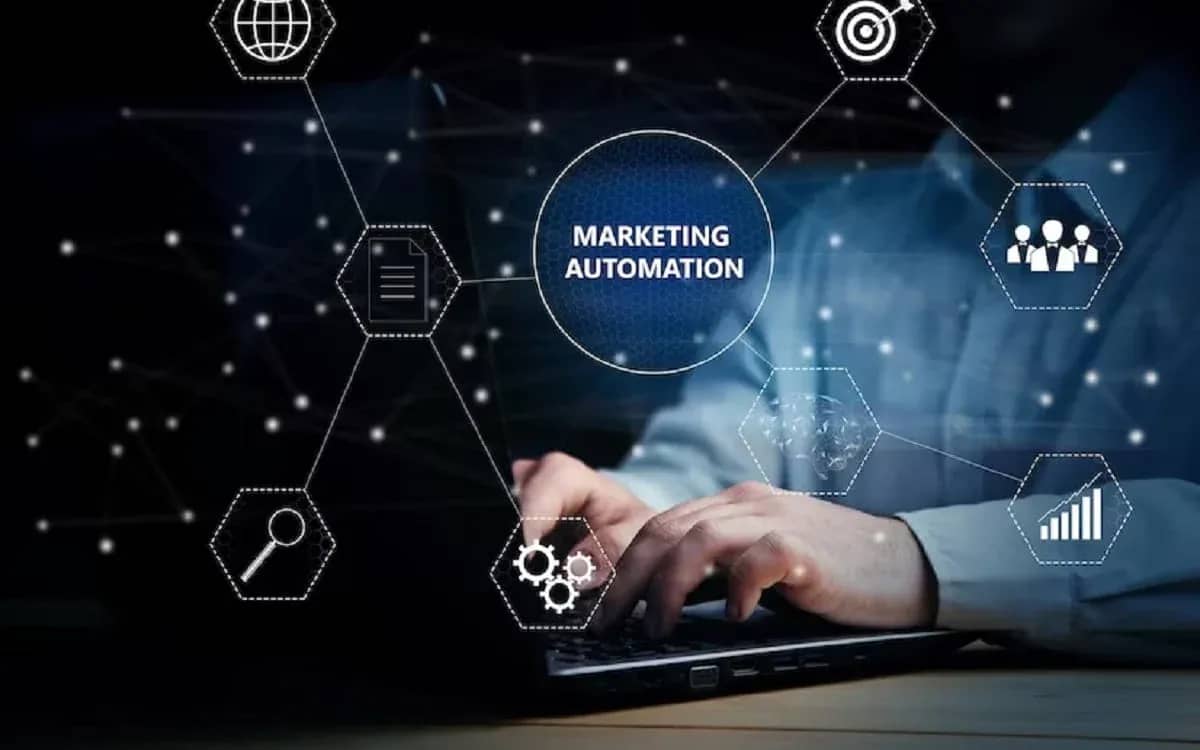
Some years back, automation of business communication, especially for marketing, was mostly an enterprise-level concern. You needed a good amount of marketing automation software, a specialist, and enough market coverage to warrant the investment.
This is no longer the case.
Marketing automation for small businesses is now a reality. Customer journeys based on actual customer behavior can be implemented. Email opens, clicks on product links, sign-ups for events, downloads of guides, and a lack of customer engagement can all be processed and trigger varying messages to the customer.
This has been made easier with automated customer journey builders such as Mailrelay. Email marketing automation, segmentation, and other tools formerly a part of the business automation suite are now free as part of Mailrelay's free plan.
This is why marketing automation is exciting. It is not about setting up your newsletter to go out at 10 AM. We've been able to do this for the last decade.
It is about setting up a system that can manage a series of decisions on its own. Should the customer receive this email? Should this customer be tagged with interest in that specific service? Should the customer be diverted to a different automation journey? Maybe SMS would be better.
It is with these decisions that email marketing becomes innovative.
A Workflow Is Basically a Customer Journey With Rules
The best way to visualize automation is by contrasting it with a normal email campaign.
Think about the journeys your customers take to buy from you (customer journeys) and then apply if-this-then-that rules to them. This is what automation is.
With a traditional campaign, you can write an email, pick a list, and shoot it. Everyone on that list gets the same email.
An automated workflow has branches. Picture your website visitor who signed up to get your guide. They get the guide via email. A few days later, the system checks if that visitor clicked the link contained in that email. If they did, they may get another email with the next steps. If they didn’t click the link, they may get another email that includes more general information.
The system also adds a tag "Interested in Product A".
Nothing extraordinary happened individually. However, collectively, the experience is more personalized. In modern marketing automation, a workflow becomes your business rules that the system follows on your behalf.
Actions, Conditions, and Tags are Your Best Friends
Most of the useful workflows rely on actions, conditions, and tags. An action refers to something that the system performs. It may send an email, send an SMS, add or remove a tag, wait for a period of time, move someone to a different group, etc.
A condition poses a question.
Did the person click the link?
Was the message opened?
Are they a customer?
Are they part of a specific group?
Based on the answer, a workflow can take a particular path. Tags are what make things particularly useful.
Picture a business that sells web design, SEO, and advertising services. Someone downloads the SEO guide, and then clicks two links about search rankings. Rather than putting that person in the large emailing list, the system could label the person as "Interested in SEO."
A different contact could be labeled as "Existing customer," "Event attendee," or "Inactive subscriber."
Small bits of information can help a lot in a partnership to help show who is actually on the list. Mailrelay can help a partnership further because it has segments, groups, and tags, and tags can be used within workflows as contacts move to different steps.
This can help a partnership have a contact list that can change to fit the behavior of the contacts, rather than having a contact list that is a stagnant list.
The Ideal Use Of Email And SMS Is To Divide The Work
One of the more useful advancements in automation is the ability to use more than one communication method.
Email is good for communication that is full, to the point, and possibly longer. Informed product communication, newsletters, and longer onboarding and communication messages all work best in a user's inbox. Text messages are completely the reverse.
Nobody wants to receive a booking confirmation in a text message because it's going to be the essence of the message. This is why the two communication methods complement one another in a workflow. Regular event registration illustrates this complement well.
The journey may look something like this:
Registrations → Confirmation emails → Useful info → Reminder emails → SMS → Follow-up emails
Without automation, it is likely that each step would need to be scheduled, or multiple systems would need to be managed.
Every new registrant will go through the same journey with a workflow. An online shop could set this up. A training firm could too, as well as a SaaS company, a consulting firm, a publisher, and an association. The goal isn't to use SMS because we can. It is about using the right channel at the right moment.
The End of the One-Size-Fits-All Email Blast
Almost everyone has received an email that clearly had nothing to do with them. This usually happens when a sender sees a mailing list as one audience. However, 10,000 contacts are not one person multiplied 10,000 times.
One subscriber may have signed up yesterday. Another may have been reading each newsletter for three years. Another may already be a customer, while another may not have opened a newsletter in six months. Sending all four exactly the same thing is convenient for the business, but not for the subscriber.
Automation has its pros. For instance, after someone subscribes to the newsletter, information specific to that person's interest may be sent to them. A user who consistently clicks the same service might receive more detail for that specific service.
An existing customer may enter a new user onboarding process. A user who has previously been an engaged subscriber may enter a process to regain subscription interest.
The mailing list remains one database, but people do not necessarily have to experience it in the same way. That sounds obvious when written out. In practice, it is a major shift from the way many businesses still use email.
Manual Email vs. Scheduling vs. Automation
The three approaches are written side by side, and the differences are easier to identify.
| Capability | Manual Email Campaigns | Basic Scheduled Campaigns | Advanced Automation Workflows |
|---|---|---|---|
| Send newsletters | Yes | Yes | Yes |
| Schedule messages | Limited/manual | Yes | Yes |
| React to customer behavior | No | Usually limited | Yes |
| Branch based on conditions | No | Usually no | Yes |
| Use contact tags | Manual | Sometimes | Yes |
| Build drip campaigns | Difficult | Basic | Yes |
| Personalize customer journeys | Limited | Limited | Strong |
| Combine email and SMS | Separate processes | Limited | Possible |
| Trigger messages from events | Manual | Limited | Yes |
| Automatically update audiences | No | Limited | Yes |
| Scale without proportional manual work | Poor | Moderate | Strong |
Of the above, the last point is probably the most significant. Automation is more than just having a computer send an email instead of needing a user to click send. Its real value is seen when the audience grows.
Sending to 200 subscribers doesn't require twice the work for sending to 400 subscribers, as long as the same logic holds. The same system is used. This is where automation starts saving a lot of time. Free plans have become more capable than many people realize. There used to be a glaring restriction with a lot of marketing platforms. You would get to start for free. But the moment you wanted real automation or started growing your contact list, you would hit limitations.
That is why Mailrelay's free tier is quite remarkable.
They currently offer up to 80,000 email sends per month for as many as 20,000 contacts for their free tier.
This is more than enough for a lot of small businesses for real automation. Another great point is that even just within the free tier, automation is available, and other features are also available, like segmentation, forms, landing pages, and campaign analytics. This totally shifts the economics for a new business. Startups do not have to ask if they can afford to automate anymore. They can now ask,
What is the automated customer communication piece we should do first?
A small workflow can be extremely beneficial
To illustrate, if an example consulting firm publishes a guide, that consulting firm can expect someone to fill out a form to access that guide. After that, the obvious step is to send the guide. A workflow, however, doesn't stop there. In that case, the contact could receive a new tag indicating the source of their acquisition. After two days, they could receive an email about the topic.
Then, the workflow checks to see if they clicked a link to visit the related service. If they did, another tag can be added and the next email can be focused on the topic. However, if they didn't, the next steps could be educational content instead of a direct sales message. The path a contact takes indicates their level of interest in the firm and the information. Strong interest leads to a path that carries further messages.
The person only interested in the guide stays on a different message path. Employees don't have to spend hours every day looking through a database to determine who gets what messages. This is when automating customer communication begins to feel more like a service than a feature in the marketing software.
Automation is only as good as your segments
There is one major component that matters in this example. Automating bad segments doesn't change bad segments into good segments. If your segments are poor, you can build the most advanced workflow in the world and still send irrelevant messages very efficiently. The importance of good automation begins with quality segmentation.
Mailrelay gives users the capability to organize contacts using groups, segments, and tags. Tools can have different functionalities.
A group can represent an audience at an overall group level. A segment is a group of audience members who fit a certain audience criterion. On the other hand, a tag can indicate a certain level of audience behavior or audience status.
Let’s say you group:
Existing customers + interested in training + recently engaged
Separately, you could group:
Non-customers + interested in training + inactive
While these two groups may have an interest in the same topic, they probably should not receive the same message. This is why automation can become increasingly useful to a business. When automation is combined with analytics, you can fine-tune your automation, tailor your workflows, and adjust to the unique interests of your audience.
Automation without Analytics is Mostly Guesswork
The biggest risk with automation is that it becomes invisible to you. If you set up an automation, you cannot just set it and forget it. Mailrelay offers instant analytics on your campaigns with stats on opens, clicks, click maps, unsubscribes, and bounces.
These analytics should answer the question: Is this workflow effective?
Imagine an automated sequence sending 4 emails. Email 1 performs well. Email 2 performs well, with a lot of clicks. Email 3 performs well. The fourth email sees a dramatic drop in engagement.
This is helpful data.
It could be that the subject line is wrong.
It could be that the automation is too long.
It may be that the fourth email is too salesy.
Maybe people progressing to that next step can be segmented into different groups.
What is important is the relationship between automation and analytics. You design the process, you measure the outcomes, and you adjust the process accordingly. Automation makes work easier. Analytics makes sure you are not just making work easier; you are making work easier to do the right thing.
Landing Pages Can Be Integrated Directly with Workflows
A useful feature of modern email systems is that the journey can start before a subscriber reaches the mailing list.
Mailrelay offers tools for the construction of landing pages and forms with the use of one's own domain. With this setup, it is easy to create a funnel that includes the following:
Landing page → Form submission → Contact added → Tag assigned → Welcome email → Automated sequence → Behavioral condition → Email or SMS follow-up
Connecting these steps reduces the number of systems that have to be integrated. It also simplifies the tracking of a contact's source and the next step that is to be taken. For smaller businesses especially, connecting fewer systems means less work.
AI Is Now Useful for the Creation of Content as well
Automation has made significant progress in delivering the right content to the right person at the right time. But automation has also created a new challenge: someone being required to create the content. This gap is being filled by AI.
Mailrelay has made newsletter creation even easier, as part of their visual newsletter builder, which offers AI assistance for content. This doesn't allow businesses to delegate their entire marketing strategy to AI.
The most important part of any marketing strategy is knowing what the goal of the campaign is, what the target audience is, and what is worth saying. But AI can often help with the "blank-page" problem and help speed up the creation of certain content.
When these technologies are combined, this is how the process is likely to look:
Create content → Decide who should receive it → Automate sending → Measure the result → Improve
This is a more holistic approach than dealing with each stage separately.
The Less Glamorous Aspect That Is Actually Important
Marketers are naturally interested in design, automation, and what subscribers actually click. No one cares about the configuration of email sending infrastructure.
Unfortunately, if emails are not delivered to recipients' email inboxes, none of the other work matters.
As sending volume increases, authentication, IP reputation, and deliverability is, for lack of a better word, important.
Mailrelay employs its own IP ranges and has dedicated systems for email deliverability. Additionally, businesses can configure SPF, DKIM, and DMARC as sending domains. This may not seem important for that first mailing list of 5 people.
But for a company whose email sends reach the hundreds of thousands or even millions, this is something they have to think about. Therefore, scalability means more than enabling new bulk uploads. The systems servicing the main campaigns must also be able to grow with the business.
Support Matters More When Automation Gets Complicated
Eventually, free software ends up costing money when you lose time trying to figure out a solution. Customer support should be prioritized more when considering marketing automation platforms.
Mailrelay provides customer support via phone, chat, and tickets, and is based in Spain, with an available platform in Spanish. Support matters when businesses move beyond sending newsletters. The major difficulty is rarely
Where is the send button?
It is more likely to be
Should this workflow begin when someone joins the list, or when they receive a certain tag?
How much time should we wait before sending the subsequent messages?
Under what circumstances should a person leave the workflow?
Would that condition create an infinite loop?
At what step should we utilize SMS?
Some of those are technical, and some are marketing questions. Having customer support available when the workflow doesn't behave as expected cuts short the time needed to figure out a solution to a problem.
The Best First Automation Is Often the Boring One
After people see what Automation software can do, they are inclined to make large flowcharts. With ten branches, twenty tags, and six conditions across multiple channels.
It is an impressive flowchart.
It is an impossible flowchart to manage.
The more repetitive tasks that a business does manually is often the best automation to do first. For example,
New Subscriber → Welcome Email → Wait → Send Follow-up Email → Check if User is Active
Getting that working is the best first step. Then segmentation can be included. Once that is working, behavioral tags can be added. SMS can be added later if it improves the customer journey. More steps may follow.
Creating the most complex workflows is not the goal. The goal is creating workflows that help simplify the task of a business and also personalize the communication of the user.
Many marketing tasks which previously were the domain of large organizations can now be undertaken by smaller, independent organizations.
Marketing automation systems previously covered only segments of the marketing funnel, with independent systems for behavior-based automation, drip sequences, landing page construction, contact segmentation... even AI-based content generation and email list systems.
With Mailrelay offering a free plan that supports up to 80,000 email sends and 20,000 contacts per month, these previously disparate systems come close to being integrated.
A business can spend a lot of time developing a system before the cost of the software becomes the prominent constraint.
As the platform is designed to meet the needs of a larger clientele, developing a free account does not necessitate starting from ground zero.
The future of email marketing may hinge less on individual emails.
нем formally, from the older perspective, what email should we send this week? is often replaced, from the newer perspective, with the question, what happens when this person does this? This expands the scope of the problem dramatically.
From this perspective, email is an action. Message system (SMS) is another action.
Tags provide context for the system.
Conditions direct someone’s path.
Automation handles the repetitive actions.
Analytics determine whether anything has been effective.
Technology will not replace understanding your customer. Technology also will not create significant content on its own.
Automation can remove much of the work needed to understand an individual and the content that this individual needs to see at this moment.
This is potentially the best way to perceive automation. It has nothing to do with email blasts. It is about decreasing the effort needed to send relevant communication to the right audience at the right time.
The weekly question
From obsession to clarity — one original question every week.
We answer one noisy topic at a time, in full. No daily roundup, no thread bait — just the question, the principles, and the system.
Continue reading
More in Information & Tech
Information & Tech
Why Does the Same Laptop Cost More in Different Countries?

Information & Tech
Giga vs ZYM: Which Mobile Plan Is Actually Better for Heavy Data Users?
Information & Tech